Removes copy-paste admin from channel sales. The right partner sees the right deals. Your team gets one clean view back.
Channel Chaser is a web-based 'Deal Sheet' that collects structured pipeline updates from your downstream reseller partners, consolidating updates into one forecast-ready view, and (optionally) keeps your CRM aligned — without breaking channel boundaries.
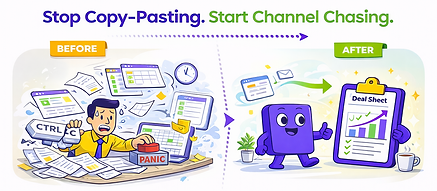
Three views, one workflow
Save and resume support
One-tier-downstream discipline
Cleaner data for forecasting
AUTOMATED RESELLER PIPELINE WORKFLOW
One workflow. Three views. Much less admin.
Channel Chaser is deliberately spreadsheet-native. The deal sheet stays at the centre of the workflow — we simply create the right view for the right person, then consolidate everything back into one automatically maintained forecast-ready output.
# 1
Master - Requester View
Originating Deal Sheet
Owned by the requesting team. This is the master list of deals being chased in the current update cycle.
#2
Responder View
Per-partner Deal Sheets
Each downstream partner receives a separate spreadsheet-like webform view containing only the deals they own and need to update.
#3
Consolidated View
Consolidated Deal Sheet
Partner responses merge back into one clean, review-ready sheet for forecasting, reporting, and optional CRM synchronisation.

THE WORKFLOW
Simple, disciplined, and built for real channel structures.
Channel Chaser respects route-to-market boundaries by collecting updates one tier down. It keeps the process clear for downstream partners and gives upstream sales teams one forecast-ready view they can trust.
Step 1
Start with your deal list
Import from spreadsheet or supported CRM. The chase cycle begins from a real working list, not a blank setup ritual.
Step 2
Group by downstream partner owner
Deals are grouped by downstream owner so each partner only sees the updates relevant to them.
Step 3
Send structured requests to downstream partners
Partners receive a clean prompt to update controlled fields through a guided webform experience.
Step 4
Collect cleaner updates
Updates are submitted through spreadsheet-like web form views. Controlled inputs reduce ambiguity, improve consistency, and make the responses easier to trust.
Step 5
Consolidate automatically
Responses merge back into one clean Deal Sheet for pipeline reviews, sales meetings, and reporting.
Step 6
Keep CRM aligned where needed
Optional CRM synchronisation keeps internal systems aligned without forcing downstream users into your stack.
DISCIPLINE
Why this workflow gets better participation.

Because it respects channel boundaries. Channel Chaser collects updates one tier down instead of trying to bypass real commercial relationships.
Partners get a lighter response experience, not another software burden.
Lower friction
Forecast owners get cleaner, comparable updates in one place.
Higher clarity
RevOps gets structured data and selective overwrite behaviour.
Better control
Sales meetings shift from reconciliation theatre to commercial discussion.
More useful reviews